Why Nano Banana Pro Is a Game Changer (and Not Just Another AI Tool)
Discover why Nano Banana Pro is a game changer in AI image generation, combining readable text, real-world data, and professional creative control powered by Gemini.
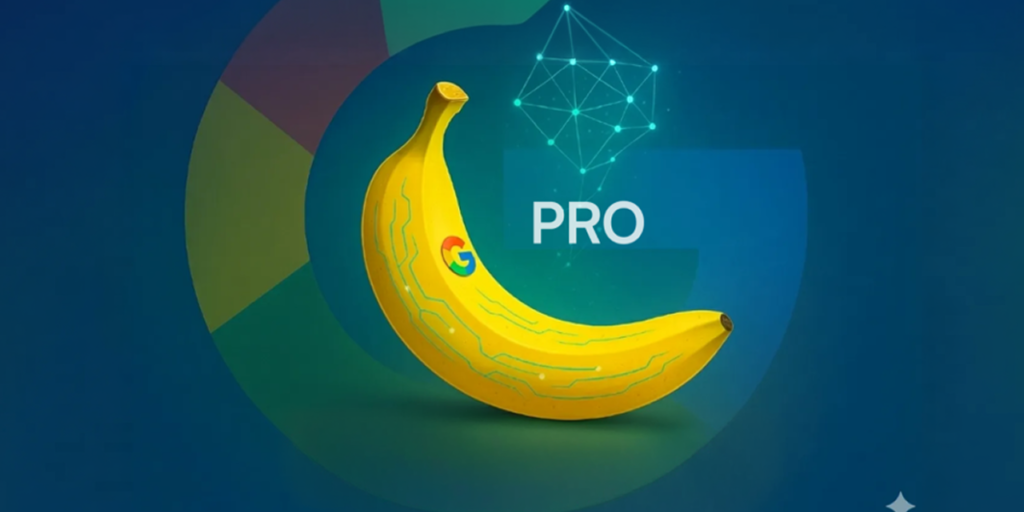
Nano Banana Pro is not a simple image generator — it’s a studio-grade image intelligence system integrated directly into the Gemini ecosystem, meaning:
- ✅ Legible, multilingual text rendering inside images — a longstanding weak point in AI image models.
- ✅ World knowledge grounding via search integration for factual diagrams and data visuals.
- ✅ High-fidelity control over lighting, camera angles, composition, and editing.
- ✅ Built-in AI provenance with visible and invisible SynthID watermarks.
- ✅ Professional-grade outputs up to 2K/4K resolution
This puts Nano Banana Pro in a different category than typical AI image models — it’s designed for creators who need quality, accuracy, and control

How to Use Nano Banana Pro in the Gemini App (Step-by-Step)
Step 1 — Launch the Gemini App
Open the Gemini app on your device or via the web platform.
Step 2 — Navigate to Image Creation
Tap “Create Images” and switch the model selector to “Thinking” — this activates Nano Banana Pro’s advanced text encoding and reasoning capabilities.
Step 3 — Write a High-Impact Prompt
Your prompt should be clear and descriptive:✔ Define the subject
✔ Explain the context or use case
✔ Specify text rendering requirements
✔ Include style & composition details (e.g., lighting, angle)
Example prompt:
“Create a clean infographic showing 2025 AI adoption by industry, include a world map backdrop, clear English headings, branded color palette, and modern minimal style.”
Step 4 — Review and Refine
Nano Banana Pro supports iterative edits. After generating your image, you can refine it with natural language:
“Make the title bolder,” or “Switch style to dark mode.”
Step 5 — Export & Use
Once finalized, download your image for blogs, ads, social posts, or presentations. Remember that images include visible and invisible watermarks for authenticity tracking.
Hidden Feature #1 — Real-World Grounded Imagery
Nano Banana Pro doesn’t just imagine, it infers. Thanks to its integration with Google Search’s knowledge base, it can produce visuals that reflect real data or up-to-date factual contexts — like charts, maps, or infographics based on real metrics
This means you can reliably generate:
- Accurate business diagrams
- Up-to-date infographics
- Geographic visuals with real labels
- Accurate planning slides for presentations
This feature alone can save hours of manual data layout work
Hidden Feature #2 — Text Precision Inside Images
One of the biggest barriers in AI visual tools has been correctly rendering text, especially with multiple languages. Nano Banana Pro solves this by combining reasoning logic with text rendering:
✔ Perfect typography (headlines, captions)
✔ Multilingual support
✔ Brand-consistent fonts and layouts
This makes it exceptional for marketing creatives, social banners, and educational visuals — where readability matters most
Hidden Feature #3 — Advanced Composition Controls
Nano Banana Pro goes beyond typical image generation by offering creative parameters traditionally reserved for design software:
- Camera angles
- Lighting conditions
- Depth of field
- Local edits (adjusting specific parts of the image)
Simply describe the changes in natural language, and Nano Banana Pro interprets visual intent into actionable edits
Hidden Feature #4 — Multi-Image Reference Blending
Instead of generating standalone outputs, Nano Banana Pro lets you upload multiple reference images — up to 14 — to ensure brand consistency and style continuity across a series of visuals. atlabs.ai
Use cases include:
- Unified campaign creatives
- Consistent product shots
- Character art with uniform styling
This turns Nano Banana Pro into an asset creation engine, not just a generative tool.
Hidden Feature #5 — Invisible Watermark & Authenticity
Every image created or edited includes Google’s SynthID watermark — both visible and invisible markers that indicate AI generation source. This ensures transparency and traceability, a big win for ethical AI usage and compliance workflows.
Hidden Feature #6 — Enhanced Diagram & Infographic Support
For data-heavy content like workflows, timelines, or statistics, clear visuals are critical. Nano Banana Pro’s world knowledge grounding and text handling make it a serious contender for infographic generation without traditional design tools.
Hidden Feature #7 — Iterative Natural Language Editing
You’re not locked into a single generated result.
After initial creation, you can tell Nano Banana Pro to:
- Change styles (e.g., “make it cinematic”)
- Adjust focus/lighting
- Modify text placement
- Replace objects
This iterative refinement turns AI from a generator into a creative partner.
Final Verdict — Is Nano Banana Pro Worth It?
If you’re producing digital visuals that require:
📌 High-quality image generation
📌 Consistent text rendering
📌 Real-world data grounding
📌 Professional creative control
Then Nano Banana Pro stands out as a production-ready solution in the AI image landscape. It closes the gap between rapid AI generation and polished visual assets suitable for commercial use.
Contact us. Let’s talk about your project. Let’s define together how to grow it with method, technology, and real results.